Key takeaways
- 97% of content marketers plan to use AI to support content marketing efforts in 2026, but most auto-publishing tools still optimize for traditional SEO rather than AI answer visibility.
- Auto-publishing CMS tools in 2026 must address verification, citation management, and brand voice consistency—not just scheduling and API connections.
- WordPress powers 43.5% of all websites, making REST API automation the most accessible entry point for developer-led teams.
- 44.7% of marketers report AI-assisted content performs better than traditional content, but only when quality control layers prevent hallucinations and maintain attribution standards.
- Headless CMS architectures enable programmatic publishing workflows that separate content creation from presentation, critical for multi-platform distribution.
Auto-publishing CMS tools in 2026 are platforms that automate the research, writing, verification, and distribution of AI-generated content directly to your website or blog, with a focus on maintaining quality, attribution, and brand voice at scale.
This guide is for SaaS founders, indie hackers, solo developers, and technical marketers who need to publish consistently without hiring a content team—and who understand that AI visibility in chat answers matters as much as traditional search rankings.
Why most auto-publishing tools miss the point in 2026
I've watched the auto-publishing category evolve from simple RSS-to-WordPress bridges to sophisticated AI content pipelines. The problem? Most tools still treat automation as a scheduling problem, not a quality problem.
Traditional SEO tools have started adding AI content workflows, and AI visibility tools have started adding content execution features, but few address the workflow gap between generating text and publishing cite-ready content. You can schedule a post to go live at 9 AM. You can even generate 50 blog posts in an hour. But can you verify every claim? Can you ensure the content matches your brand voice? Can you structure it so ChatGPT or Perplexity actually cite it when someone asks a related question?
That's the difference between auto-publishing and auto-publishing that works.
The shift from traditional SEO to Generative Engine Optimization (GEO) means your content needs to be structured for extraction, not just indexing. AI chat models pull answers from sources that are clear, cited, and authoritative. If your auto-publishing workflow dumps unverified AI-generated text onto your blog, you're creating noise, not authority.
What auto-publishing actually means in 2026
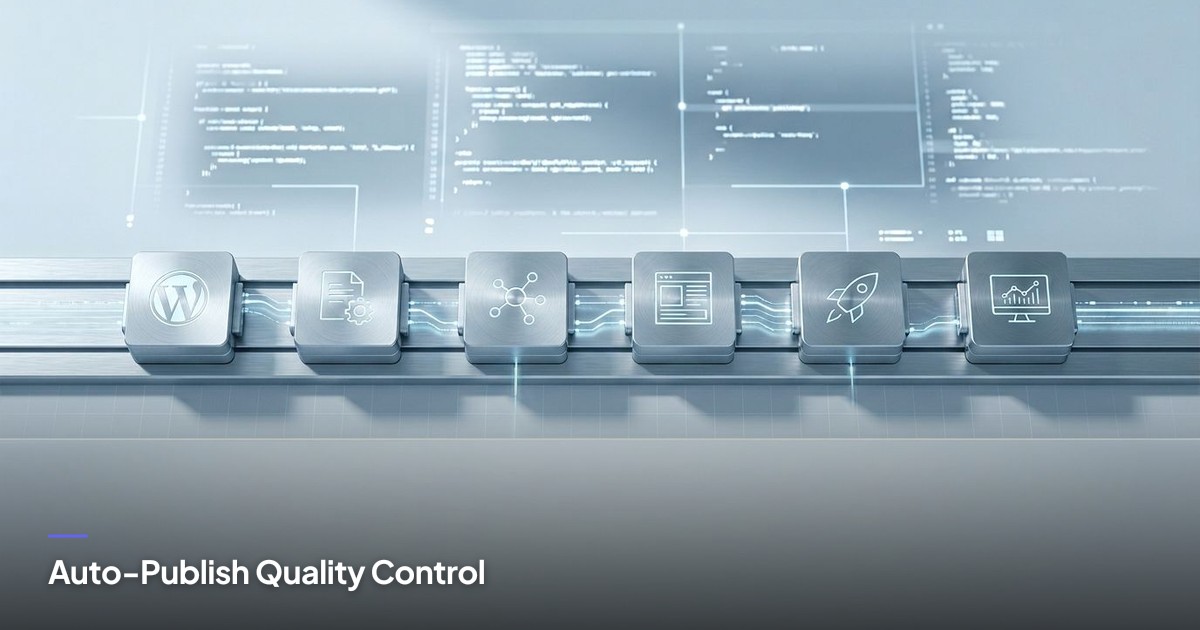
Auto-publishing isn't just pushing content to a CMS on a schedule. It's a multi-stage pipeline:
Research layer. The tool identifies topics, queries, and content gaps based on your audience and keyword targets. This isn't keyword stuffing—it's understanding what questions your audience asks and what AI chat models need to answer those questions.
Generation layer. AI writes the content, but not in a vacuum. It pulls from verified sources, structures the output with headings and lists for scannability, and generates metadata (summaries, FAQs, schema) that AI models can extract.
Verification layer. Every claim is checked against a source. Every statistic is linked. Every assertion is either backed by a URL or rewritten qualitatively. This is where most tools fail—they generate fast but don't verify.
Brand voice layer. The content matches your tone, audience, and positioning. This requires a Brand Kit: audience personas, tone guidelines, example posts. Without this, every AI-generated post reads like generic SEO filler.
Distribution layer. The content publishes to your CMS (WordPress, Shopify, Notion, Webflow, Wix, Next.js) and cross-posts to social platforms (LinkedIn, Facebook, Instagram, X, TikTok) with platform-native formatting and visuals.
Analytics layer. You track not just traffic, but AI visibility—whether your content is being cited in chat answers, which queries trigger it, and how to refine your strategy.
By 2026, AI will produce a new wave of advanced marketing content, including interactive and long-form articles, but only if the workflow supports quality at every stage.
How WordPress REST API automation works for developers
WordPress powers 43.5% of all websites on the internet, and the REST API (introduced in WordPress 4.7 in December 2016) is the foundation of programmatic content publishing for most developer-led teams.
The WordPress REST API lets you create, update, and manage posts, pages, media, and metadata via HTTP requests. You authenticate with application passwords or OAuth, send a JSON payload with your post content, and WordPress handles the rest.
Here's the basic flow:
- Generate your post content (title, body, meta description, featured image URL).
- Structure it as JSON with the required fields:
title,content,status(draft or publish),meta,featured_media. - Send a POST request to
https://yoursite.com/wp-json/wp/v2/postswith your credentials. - WordPress creates the post and returns the post ID and URL.
For developers, this is straightforward. For non-technical founders, it's still accessible—tools like Next Blog AI's automated blog platform handle the API calls, authentication, and error handling so you never touch code.
The advantage of REST API automation is control. You can publish drafts for review, schedule posts, set categories and tags, and update existing content programmatically. You can also pull analytics data via the API to track performance.
The limitation is that you're still tied to WordPress's data model and plugin ecosystem. If you need more flexibility, headless CMS architectures offer a cleaner separation.
Why headless CMS auto-publishing changes the game
The headless CMS market was valued at $609.4 million in 2023 and is expected to grow at a CAGR of 22.6% from 2024 to 2030. The reason? Headless architectures separate content storage (the CMS) from presentation (your website, app, or social feed).
With a traditional CMS like WordPress, your content lives in the same system that renders your website. With a headless CMS (Contentful, Sanity, Strapi, Notion, Webflow CMS), your content lives in a structured database, and you pull it into any front-end via API.
For auto-publishing, this means you can:
- Publish the same content to multiple platforms (website, mobile app, social feeds) from a single source.
- Update content once and have it propagate everywhere.
- Use a modern front-end framework (Next.js, Gatsby, Astro) without CMS lock-in.
- Structure content with custom fields, taxonomies, and relationships that AI models can parse.
Modern CMS strategies in 2026 emphasize AI governance and orchestration to help teams scale content with clarity. Headless CMS platforms make this easier because content is already structured as data, not HTML.
If you're building a SaaS product with a blog, docs, and a help center, a headless CMS lets you manage all three from one system and auto-publish updates across all properties. You can also integrate AI-generated content directly into your workflow without reformatting.
The verification problem nobody talks about
Here's what breaks most AI content workflows: hallucinations.
AI models generate plausible-sounding text, but they also invent statistics, misattribute quotes, and fabricate sources. If you auto-publish without verification, you're publishing misinformation at scale.
The fix is a verification layer that:
- Cross-checks every numeric claim against a verified source. If the AI says "73% of marketers use AI tools," you need a URL from a real study. If you don't have one, rewrite the claim qualitatively: "Most marketers now use AI tools."
- Links every statistic inline. The link goes in the same sentence as the claim, not in a footnote or "Sources" section at the end. This makes the content cite-ready for AI models.
- Flags unsupported assertions for review. If the AI generates a claim you can't verify, it should surface in your approval workflow, not auto-publish.
62% of marketers say their company is already using AI for content creation, but the gap between "using AI" and "publishing verified AI content" is enormous. Most tools skip verification because it's slow and requires human judgment. But skipping it destroys trust.
At Next Blog AI, we built our workflow around this: every post is scored for GEO readiness, every claim is checked against verified facts, and every piece of content goes through a brand voice filter before it publishes. You can still auto-publish, but only content that meets your quality bar.
How to maintain brand voice at scale
Brand voice is the hardest part of AI content automation. AI models default to generic, corporate-sounding prose. They hedge. They use passive voice. They sound like everyone else.
The solution is a Brand Kit that defines:
- Audience personas. Who you're writing for, what they care about, and what language they use.
- Tone guidelines. Friendly vs. formal, opinionated vs. neutral, technical vs. accessible.
- Example posts. Real content you've written that exemplifies your voice.
- Forbidden phrases. Words and patterns you never use (e.g., "leverage," "synergy," "game-changer").
When you feed this into your AI content workflow, the model adapts. It writes in your voice, not a generic voice. It uses your sentence structure, your examples, your positioning.
This is critical for auto-publishing because every post reinforces your brand. If half your posts sound like you and half sound like a content mill, you've diluted your authority.
44.7% of marketers report AI-assisted content performs better than traditional content, but only when the content matches the brand's established voice and audience expectations. Generic AI content performs worse than no content.
The GEO scoring system you need
Traditional SEO tools score content based on keyword density, readability, and backlinks. GEO scoring evaluates whether AI chat models will cite your content.
A GEO-ready post:
- Starts with a direct answer. The first 100 words should answer the core query clearly, so an AI model can extract it.
- Uses structured headings. H2s should be conversational questions or clear topic labels, not vague section titles.
- Includes key takeaways. A bullet list near the top summarizes the main points in scannable, cite-ready sentences.
- Links every claim to a source. Inline markdown links to authoritative URLs, not vague attributions.
- Avoids hedging. Clear, declarative statements are easier for AI models to extract than "some experts believe" or "it's possible that."
When you auto-publish content, you need to know whether it's cite-ready before it goes live. That's what GEO scoring does—it flags weak sections, missing citations, and vague language so you can fix them.
Next Blog AI's GEO platform scores every post automatically and surfaces issues in the approval workflow. You can publish with confidence because you know the content meets the bar for AI visibility.
What to look for in an auto-publishing CMS tool
Not all auto-publishing tools are built the same. Here's what matters in 2026:
CMS integrations. Native connectors for WordPress, Shopify, Notion, Webflow, Wix, and Next.js. OAuth authentication, not manual API keys. Support for drafts, scheduled posts, and metadata.
Social cross-posting. Automated distribution to LinkedIn, Facebook, Instagram, X, and TikTok with platform-native formatting and visuals. No manual copy-paste.
Brand Kit support. Configuration for voice, tone, audience, and example content. The tool should adapt to your brand, not force you into a generic style.
Verification workflow. Every claim should be checked against verified sources. Every statistic should have a link. Every unsupported assertion should be flagged.
GEO scoring. Automated evaluation of citation readiness, structure, and AI extractability. You should know whether your content will be cited before you publish.
Content refinement tools. Tone adjustment, regeneration, and expansion without starting from scratch. You should be able to iterate quickly.
Analytics for AI visibility. Track not just traffic, but whether your content is being cited in AI chat answers. Measure query anchors, citation frequency, and visibility trends.
Approval workflow. A dashboard where you can review, edit, and approve content before it publishes. Auto-publishing should be optional, not mandatory.
If a tool doesn't offer these features, it's just a content generator with a CMS connector. It's not solving the real problem.
How to set up a programmatic publishing workflow
Here's the step-by-step process I recommend for developer-led teams:
Step 1: Define your content strategy. What topics do you want to cover? What queries do you want to rank for in AI chat answers? What's your publishing cadence?
Step 2: Configure your Brand Kit. Document your audience, tone, and example posts. Feed this into your AI content tool so every post matches your voice.
Step 3: Set up CMS integrations. Connect your WordPress, Shopify, or headless CMS via OAuth. Test a draft post to confirm authentication and metadata handling.
Step 4: Configure social cross-posting. Link your LinkedIn, X, and other social accounts. Set platform-specific formatting rules (character limits, image sizes, hashtag preferences).
Step 5: Generate your first batch of content. Let the AI research, write, and structure posts based on your topics and keywords. Review the GEO scores and fix any flagged issues.
Step 6: Set up your approval workflow. Decide whether posts auto-publish or go to a draft queue for review. For most teams, I recommend starting with drafts until you trust the output.
Step 7: Monitor AI visibility. Track whether your content is being cited in ChatGPT, Perplexity, and Claude. Refine your strategy based on what's working.
This workflow takes a few hours to set up, but once it's running, you can publish consistently without manual intervention. The key is the verification and brand voice layers—skip those, and you're just spamming.
When to choose auto-publishing over manual workflows
Auto-publishing isn't always the right choice. Here's when it makes sense:
You publish consistently (weekly or more). If you only publish once a month, manual workflows are fine. If you publish daily or multiple times per week, automation saves significant time.
You have a defined content strategy. Auto-publishing works when you know what you want to say and who you're saying it to. If you're still figuring out your positioning, manual workflows give you more control.
You need to scale without hiring. If you're a solo founder or small team, auto-publishing lets you maintain a content presence without a dedicated writer or social media manager.
You prioritize AI visibility. If you're optimizing for citations in AI chat answers, not just search rankings, auto-publishing tools with GEO scoring give you a measurable edge.
You value consistency over perfection. Auto-publishing gets content live faster, but it's not as polished as hiring a senior writer. If your brand requires highly crafted prose, manual workflows are better.
For most SaaS founders and indie hackers, auto-publishing is the right choice. You get consistent output, lower costs, and better AI visibility—without sacrificing quality if you use the right tools.
The cost-benefit analysis of auto-publishing in 2026
The global marketing automation market is projected to reach $13.71 billion by 2030, growing at a CAGR of 13.3% from 2024 to 2030. But what does that mean for your budget?
Compare the costs:
Manual workflow: Hire a freelance writer at $0.10–$0.50 per word. A 2,000-word post costs $200–$1,000. Add editing, formatting, and publishing time, and you're at $300–$1,500 per post. For weekly publishing, that's $1,200–$6,000 per month.
Agency workflow: Content agencies charge $2,000–$10,000 per month for 4–8 posts, plus strategy and distribution. Quality varies widely.
Auto-publishing workflow: Tools like Next Blog AI's blog automation platform start at $24/month for 20 posts with full CMS integration, social cross-posting, and GEO scoring. Even at the Business tier ($99/month for 80 posts), you're paying less than $1.25 per post.
The savings are obvious. But the real value is speed. Manual workflows take days per post. Auto-publishing takes minutes. You can test topics, iterate quickly, and scale without bottlenecks.
For bootstrapped teams, this is the difference between publishing consistently and giving up on content entirely.
How to measure success beyond traffic
Traditional SEO metrics (organic traffic, keyword rankings, backlinks) still matter, but they don't capture AI visibility.
Track these instead:
Citation frequency. How often is your content cited in AI chat answers? Tools like LucidRank (built into Next Blog AI) measure this directly.
Query anchors. Which queries trigger your content in AI answers? This tells you what topics you're authoritative on.
AI visibility trends. Is your citation rate increasing over time? Are you being cited for more queries?
Content approval rate. What percentage of AI-generated posts meet your quality bar without edits? This measures how well your Brand Kit and verification workflow are working.
Time to publish. How long does it take from topic selection to live post? Auto-publishing should reduce this from days to hours.
Cost per post. Total monthly spend divided by posts published. This should be significantly lower than manual or agency workflows.
If you're only tracking traffic, you're missing the shift to AI-driven discovery. The teams that win in 2026 are the ones that optimize for citations, not just clicks.
The future of auto-publishing: what's next
97% of content marketers plan to use AI to support content marketing efforts in 2026, but the category is still evolving fast.
Here's what I expect in the next 12–24 months:
Tighter CMS integrations. More platforms will offer native AI content workflows, reducing the need for third-party tools. But the best third-party tools will offer better verification and brand voice controls than native options.
Real-time verification. AI models will cross-check claims against live databases as they generate text, reducing the need for manual fact-checking.
Voice cloning for brand consistency. AI will analyze your existing content and replicate your sentence structure, word choice, and rhetorical patterns with higher fidelity.
Multi-modal content. Auto-publishing will expand beyond text to include AI-generated images, videos, and interactive elements—all structured for AI extractability.
Federated publishing. Content will auto-publish not just to your CMS and social feeds, but to AI knowledge bases, developer docs, and third-party platforms where your audience already searches.
The teams that adopt these workflows early will have a compounding advantage. Every post you publish builds authority. Every citation reinforces your position. Every week you delay, your competitors get further ahead.
If you're ready to start, check out our guide to the best auto-publishing CMS tools or explore developer SEO tools for SaaS startups to see how auto-publishing fits into a broader growth strategy.
Auto-publishing in 2026 isn't about replacing writers—it's about replacing the tedious parts of content creation so you can focus on strategy, positioning, and distribution. The tools exist. The workflows are proven. The only question is whether you're ready to commit to consistent publishing.
Frequently Asked Questions
What are auto-publishing CMS tools for AI blog posts in 2026?
Why is WordPress REST API automation important for developer-led teams?
How do headless CMS architectures enhance AI blog post automation?
What quality control features should auto-publishing CMS tools include in 2026?
How are traditional SEO tools evolving to support AI-driven content publishing workflows?
Further Reading & Resources
- Content Management System Auto Publishing Guide 2026 - Sight AI
- 2026 content trends: From acceleration to orchestration - Brightspot
- AI Tools Every Marketer Should Use for Growth in 2026 - LinkedIn
- AI Content Generation in 2026: Brand Voice, Strategy & Scaling
- 51 AI Writing Statistics To Know in 2026 - Siege Media
- Best AI Content Platforms in 2026 [Tested & Ranked] - Averi AI
- Best AI Marketing Tools for 2026 (Full Guide) - The Smarketers
Leave a comment